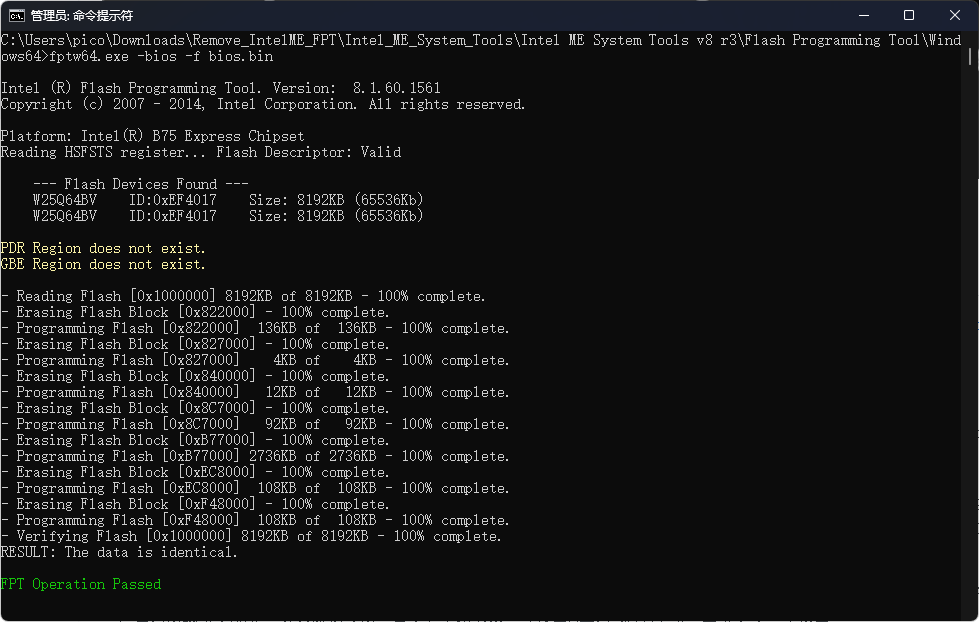
备份主板BIOS
在进行所有操作前,首先下载更新ASUS官方最新BIOS,在此基础上进行后续操作。
备份工具:https://github.com/mostav02/Remove_IntelME_FPT
华硕P8B75-M LX PLUS主板需要用到Intel ME System Tools v8 r3。
fptw64.exe -help
FPTw64.exe [-H|?] [-VER] [-EXP] [-VERBOSE] [-Y] [-P] [-LIST] [-I]
           [-F] [-ERASE] [-VERIFY] [-D] [-DESC] [-BIOS] [-ME] [-GBE]
           [-PDR] [-SAVEMAC] [-SAVESXID] [-C] [-B] [-E] [-REWRITE]
           [-ADDRESS|A] [-LENGTH|L] [-FOVS] [-CFGGEN] [-U] [-O] [-IN] [-N] [-ID]
           [-V] [-LOCK] [-DUMPLOCK] [-PSKFILE] [-CLOSEMNF] [-GRESET]
           [-PAGE] [-SPIBAR] [-R] [-VARS] [-COMMIT] [-COMPARE] [-HASHED]

-H|?                Displays help screen.
-VER                Displays version information.
-EXP                Displays example usage of this tool.
-VERBOSE<file>      Display the debug information of the tool.
-Y                  Do NOT prompt when a warning occurs.
-P<file>            Specifies a flash part definition file to use.
-LIST               List all SPI devices supported.
-I                  Displays information about the flash image.
-F<f>[NoVerify]     Load binary file into flash.  "NoVerify" skips verify.
-ERASE              Erase the contents of flash.
-VERIFY<file>       Compare binary file to flash.
-D<file>            Dump flash contents to file or "STDOUT".
-DESC               Load/verify/dump Descriptor region.
-BIOS               Load/verify/dump BIOS region.
-ME                 Load/verify/dump ME region.
-GBE                Load/verify/dump GbE region.
-PDR                Load/verify/dump PDR region.
-SAVEMAC            Saves the GbE MAC when GbE is being reflashed.
-SAVESXID           Saves the GbE SSID and SVID when GbE is being reflashed.
-C                  Erase entire flash part.
-B                  Check to see if the flash part is erased.
-E                  Do NOT erase area before writing to flash.
-REWRITE            Rewrite the SPI with file data even if flash is identical.
-ADDRESS|A<address> Flash address to load/verify/dump file.
-LENGTH|L<length>   Number of bytes to load/verify/dump.
-FOVS               Displays list of FOVs supported.
-CFGGEN             Generates an FOV Input File.
-U                  Update Variable.
-O<file>            Sets an output file name.
-IN<file>           Input param file.
-N<name>            Name of variable.
-ID<id>             Id of the FOV to be updated.
-V<value>           Value for variable.
-LOCK[PDR]          Sets SPI flash region access to Intel recommended values
-DUMPLOCK           Dumps the current lock settings to screen.
-PSKFILE<file>      PSK key file name.
-CLOSEMNF[NO] [PDR] End of Manufacturing. Details on NO & PDR use -exp option
-GRESET[NO]         Global reset drives GPIO30 low unless "NO" is provided.
-PAGE               Pauses the screen when a page of text is reached.
-SPIBAR             Display the SPI BAR.
-R<name>            Read a variable.
-VARS               Display supported variables.
-COMMIT             Commit updates to FOVs requiring a FW reset.
fptw64.exe -i
Intel (R) Flash Programming Tool. Version: 8.1.60.1561
Copyright (c) 2007 - 2014, Intel Corporation. All rights reserved.
Platform: Intel(R) B75 Express Chipset
Reading HSFSTS register... Flash Descriptor: Valid
--- Flash Devices Found ---
W25Q64BV ID:0xEF4017 Size: 8192KB (65536Kb)
W25Q64BV ID:0xEF4017 Size: 8192KB (65536Kb)
--- Flash Image Information --
Signature: VALID
Number of Flash Components: 2
Component 1 - 8192KB (65536Kb)
Component 2 - 8192KB (65536Kb)
Regions:
Descriptor - Base: 0x000000, Limit: 0x000FFF
BIOS - Base: 0x800000, Limit: 0xFFFFFF
ME - Base: 0x001000, Limit: 0x7FFFFF
GbE - Not present
PDR - Not present
Master Region Access:
CPU/BIOS - ID: 0x0000, Read: 0x0B, Write: 0x0A
ME - ID: 0x0000, Read: 0x0D, Write: 0x0C
GbE - ID: 0x0118, Read: 0x08, Write: 0x08
Total Accessable SPI Memory: 16384KB, Total Installed SPI Memory : 16384KB
FPT Operation Passedfptw64.exe -bios -d bios_backup.bin
Intel (R) Flash Programming Tool. Version: 8.1.60.1561
Copyright (c) 2007 - 2014, Intel Corporation. All rights reserved.
Platform: Intel(R) B75 Express Chipset
Reading HSFSTS register... Flash Descriptor: Valid
--- Flash Devices Found ---
W25Q64BV ID:0xEF4017 Size: 8192KB (65536Kb)
W25Q64BV ID:0xEF4017 Size: 8192KB (65536Kb)
[bios_backup.bin] file already exists
Do you want to overwrite file? Y/<N> or q to quit : y
- Reading Flash [0x1000000] 8192KB of 8192KB - 100% complete.
Writing flash contents to file "bios_backup.bin"...
Memory Dump Complete
FPT Operation Passed备份得到的bios文件可以用MCExtractor查看,项目地址为 https://github.com/platomav/MCExtractor
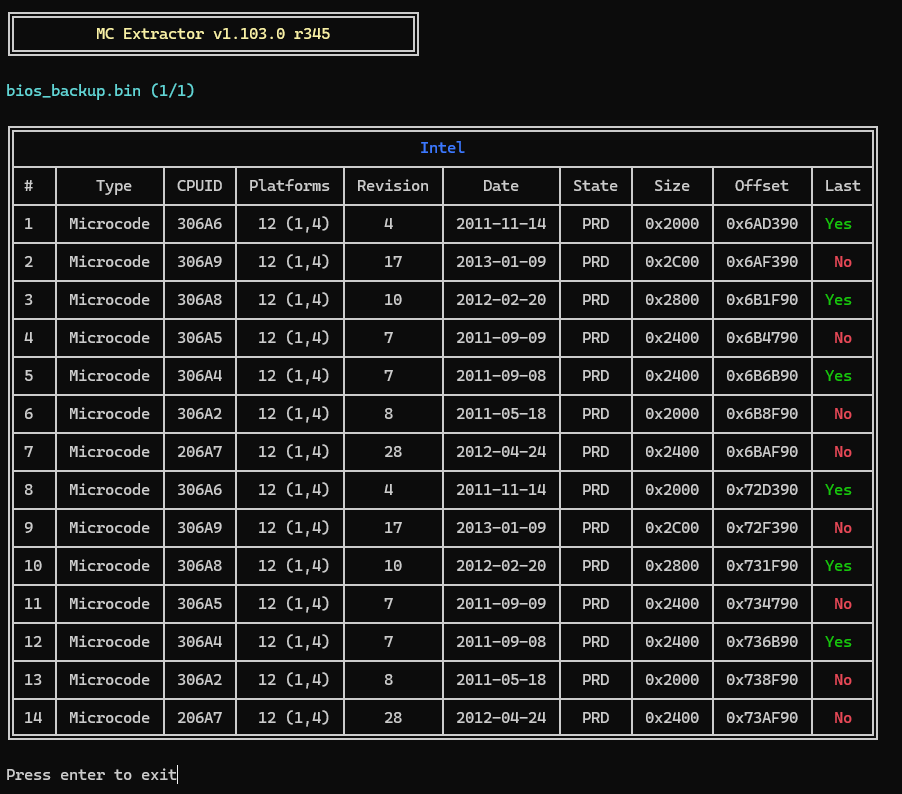
更新微码
更新微码要用到UBU: https://mega.nz/folder/lLg2GLrA#SnZZd0WjHkULFHg7FESm8g ,网盘中也包含了一些其他要用到的工具,比如 mmt 压缩包中包含了各个版本的MMTool。对于B75主板需要用到v5.0.0.7版本,将对应版本MMTool复制到ubu目录中,更名为mmtool_a4.exe 。
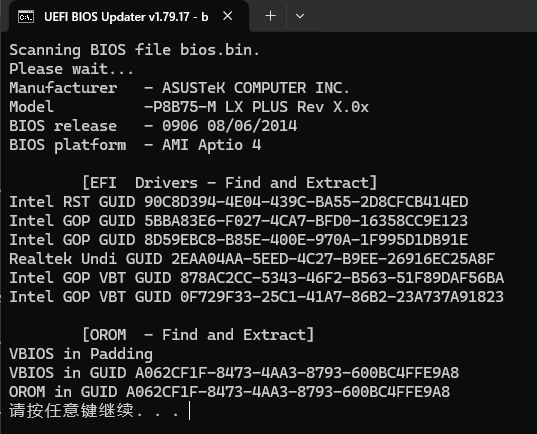
CPU微码、vBIOS等等都可以更新。结束后按提示保存文件。
去除BIOS写保护
华硕主板默认开启BIOS LOCK,直接用fptw无法写入。win-raid论坛上有一篇很好的破解教程: HowTo Fix Intel FPT Error 280 or 368
教程很详细无需赘述。简单来说需要以下几步:
用 UEFITool_028.exe 打开刚才修改后的BIOS文件,文本搜索 bios lock ,找到对应section,右键 Extract as is,得到一个srt格式文件
用附件中的 Universal IFR Extractor7.exe 打开刚才的srt文件,点击 Extract,得到一个文件文件
打开得到的文本文件,搜索 bios lock,可以定位到这样一段:One Of: BIOS Lock, VarStoreInfo (VarOffset/VarName): 0x89, VarStore: 0x1, QuestionId: 0x48, Size: 1, Min: 0x0, Max 0x0, Step: 0x0 {05 A6 31 01 32 01 48 00 01 00 89 00 10 10 00 00 00 00 00 00 00 00 00 00 00 00 00 00 00 00 00 00 00 00 00 00 00 00} ,可见 0x89 就是 BIOS Lock 这一变量的存储位置,默认值1即开启
将附件中的 bootx64.efi 复制到 U盘,改名为 Shell.efi 。我的U盘已经安装了Ventoy,把这个文件放在 VTOYEFI 分区根目录即可
重启电脑进入BIOS,在高级模式中,点击右上角退出,选择用U盘启动EFI Shell,就进入了grub界面
执行 setup_var 0x89 0x0 ,完成后重启电脑,即可使用fptw写入修改后的BIOS文件。再次重启电脑,此时运行的就是更新了微码的bios。