
最近在1688上以85元价格下单了5只蓝牙适配器,商品图片如下:
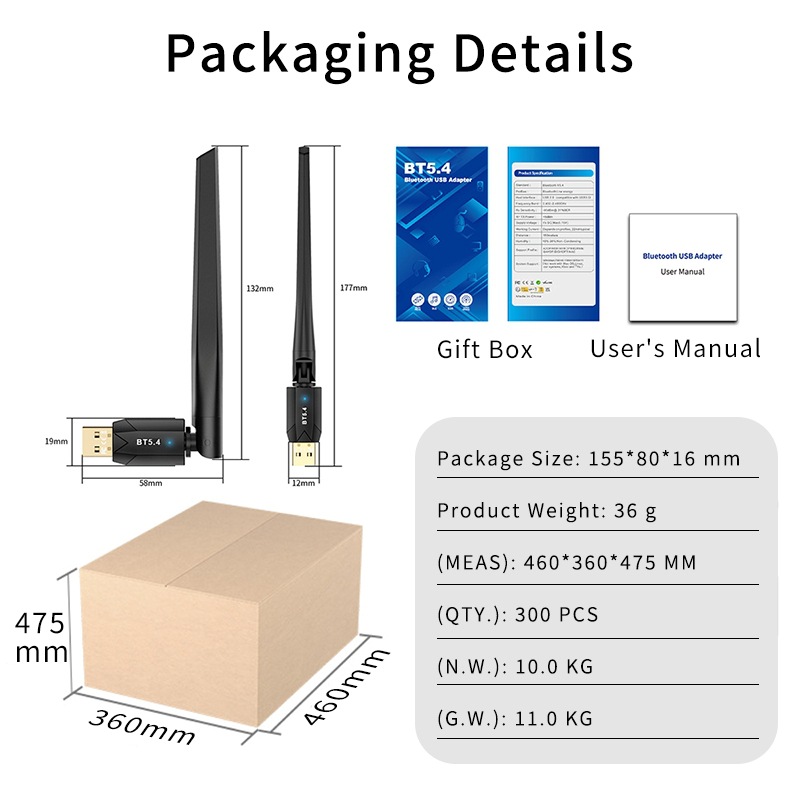
卖家宣称其芯片为瑞昱 RTL8761BUE-CG ,支持蓝牙5.4标准,还带了一条可以旋转的外置天线,看起来不错。电商平台零售版5.4蓝牙适配器一般都在30元之上,而且许多没有天线。下面来测试实际效果如何。
Windows平台
支持 Windows 7 至 Windows 11系统,测试在Windows 11中即插即用,直接支持5.4标准。链接耳机、手柄等设备没有任何问题。
Windows 7需要手动安装驱动,地址为 https://www.dropbox.com/scl/fi/pyamt447ysvmj4xg73aa1/Bluetooth-Driver.rar?dl=0&e=2&rlkey=rxin88df59zcr5rdubvw52099&st=mchc07ue
Linux平台
实测在银河麒麟V10 SP1系统中即插即用,可惜仅能支持到5.1:
$ ls /lib/firmware/rtl_bt/
rtl8192ee_fw.bin  rtl8723bs_config-OBDA8723.bin  rtl8761a_fw.bin       rtl8821a_fw.bin      rtl8822b_fw.bin       rtl8822cu_fw.bin      rtl8852au_fw.bin       rtl8852bu_fw.bin
rtl8192eu_fw.bin  rtl8723bs_fw.bin               rtl8761bu_config.bin  rtl8821c_config.bin  rtl8822cs_config.bin  rtl8851bu_config.bin  rtl8852btu_config.bin  rtl8852cu_config.bin
rtl8723a_fw.bin   rtl8723d_config.bin            rtl8761bu_fw.bin      rtl8821c_fw.bin      rtl8822cs_fw.bin      rtl8851bu_fw.bin      rtl8852btu_fw.bin      rtl8852cu_fw.bin
rtl8723b_fw.bin   rtl8723d_fw.bin                rtl8812ae_fw.bin      rtl8822b_config.bin  rtl8822cu_config.bin  rtl8852au_config.bin  rtl8852bu_config.bin
$ dmesg | grep -i bluetooth
[ 68.633922] usb 1-4.1: Product: Bluetooth 5.4 Radio
[ 68.716649] Bluetooth: Core ver 2.22
[ 68.716668] Bluetooth: HCI device and connection manager initialized
[ 68.716673] Bluetooth: HCI socket layer initialized
[ 68.716675] Bluetooth: L2CAP socket layer initialized
[ 68.716678] Bluetooth: SCO socket layer initialized
[ 68.737805] Bluetooth: hci0: RTL: examining hci_ver=0a hci_rev=000b lmp_ver=0a lmp_subver=8761
[ 68.738808] Bluetooth: hci0: RTL: rom_version status=0 version=1
[ 68.738812] Bluetooth: hci0: RTL: loading rtl_bt/rtl8761bu_fw.bin
[ 68.739124] Bluetooth: hci0: RTL: loading rtl_bt/rtl8761bu_config.bin
[ 68.739213] Bluetooth: hci0: RTL: cfg_sz 14, total sz 30218
[ 68.779974] Bluetooth: BNEP (Ethernet Emulation) ver 1.3
[ 68.779976] Bluetooth: BNEP filters: protocol multicast
[ 68.779980] Bluetooth: BNEP socket layer initialized
[ 69.007796] Bluetooth: hci0: RTL: fw version 0xdfc6d922
[ 69.111424] Bluetooth: RFCOMM TTY layer initialized
[ 69.111428] Bluetooth: RFCOMM socket layer initialized
[ 69.111436] Bluetooth: RFCOMM ver 1.11
$ hciconfig hci0 -a
hci0:	Type: Primary  Bus: USB
	BD Address: 8C:68:[省略]  ACL MTU: 1021:6  SCO MTU: 255:12
	UP RUNNING PSCAN ISCAN INQUIRY
	RX bytes:57395 acl:0 sco:0 events:1242 errors:0
	TX bytes:35338 acl:0 sco:0 commands:518 errors:0
	Features: 0xff 0xff 0xff 0xfa 0xdb 0xbf 0x7b 0x87
	Packet type: DM1 DM3 DM5 DH1 DH3 DH5 HV1 HV2 HV3
	Link policy: RSWITCH HOLD SNIFF PARK
	Link mode: PERIPHERAL ACCEPT
	Name: '[省略]'
	Class: 0x7c0104
	Service Classes: Rendering, Capturing, Object Transfer, Audio, Telephony
	Device Class: Computer, Desktop workstation
	HCI Version: 5.1 (0xa)  Revision: 0xdfc6
	LMP Version: 5.1 (0xa)  Subversion: 0xd922
	Manufacturer: Realtek Semiconductor Corporation (93)
$ lsusb | grep 5.4
Bus 001 Device 008: ID 0bda:a728 Realtek Semiconductor Corp. Bluetooth 5.4 Radio上述信息摘要如下:
硬件ID 为 0bda:a728
HCI和LMP支持到5.1
固件版本为0xdfc6d922
加载rtl8761bu_fw.bin固件,系统自带版本号为0xdfc6d922
可见系统自带的rtl8761bu_fw.bin最高只支持蓝牙5.1协议。
更新固件
首先下载微软发布的驱动:
这个cab文件实际上是一个压缩包,解压后内容如下:
$ ls -lh
总用量 944K
-rw-rw-r-- 1 pico pico 5.4K 3月  20  2024 PidVid_List.dat
-rw-rw-r-- 1 pico pico 870K 3月  20  2024 RtkBtfilter.sys
-rw-rw-r-- 1 pico pico  13K 3月  20  2024 rtkfilter.cat
-rw-rw-r-- 1 pico pico 2.9K 3月  20  2024 Rtkfilter.inf
-rw-rw-r-- 1 pico pico  43K 3月  20  2024 rtl8761b_mp_chip_bt40_fw_asic_rom_patch_new.dat
把 rtl8761b_mp_chip_bt40_fw_asic_rom_patch_new.dat 重命名为 rtl8761bu_fw.bin ,然后替换掉原有的 /lib/firmware/rtl_bt/rtl8761bu_fw.bin,重启后生效:
$ hciconfig hci0 -a
hci0:	Type: Primary  Bus: USB
	BD Address: 8C:68:[省略]  ACL MTU: 1021:6  SCO MTU: 255:12
	UP RUNNING PSCAN ISCAN INQUIRY
	RX bytes:84218 acl:0 sco:0 events:1527 errors:0
	TX bytes:35008 acl:0 sco:0 commands:554 errors:0
	Features: 0xff 0xff 0xff 0xfe 0xdb 0xfd 0x7b 0x87
	Packet type: DM1 DM3 DM5 DH1 DH3 DH5 HV1 HV2 HV3
	Link policy: RSWITCH HOLD SNIFF PARK
	Link mode: PERIPHERAL ACCEPT
	Name: '[省略]'
	Class: 0x7c0104
	Service Classes: Rendering, Capturing, Object Transfer, Audio, Telephony
	Device Class: Computer, Desktop workstation
	HCI Version:  (0xd)  Revision: 0xddd5
	LMP Version:  (0xd)  Subversion: 0xc761
	Manufacturer: Realtek Semiconductor Corporation (93)
$ dmesg | grep -i bluetooth
[    1.942406] usb 1-2.1: Product: Bluetooth 5.4 Radio
[    2.911499] Bluetooth: Core ver 2.22
[    2.911519] Bluetooth: HCI device and connection manager initialized
[    2.911523] Bluetooth: HCI socket layer initialized
[    2.911525] Bluetooth: L2CAP socket layer initialized
[    2.911530] Bluetooth: SCO socket layer initialized
[    2.923973] Bluetooth: hci0: RTL: examining hci_ver=0a hci_rev=000b lmp_ver=0a lmp_subver=8761
[    2.926252] Bluetooth: hci0: RTL: rom_version status=0 version=1
[    2.926255] Bluetooth: hci0: RTL: loading rtl_bt/rtl8761bu_fw.bin
[    2.927742] Bluetooth: hci0: RTL: loading rtl_bt/rtl8761bu_config.bin
[    2.927936] Bluetooth: hci0: RTL: cfg_sz 14, total sz 29138
[    3.194815] Bluetooth: hci0: RTL: fw version 0xddd5c761
[    3.240853] Bluetooth: BNEP (Ethernet Emulation) ver 1.3
[    3.240855] Bluetooth: BNEP filters: protocol multicast
[    3.240860] Bluetooth: BNEP socket layer initialized
[    3.671429] Bluetooth: RFCOMM TTY layer initialized
[    3.671434] Bluetooth: RFCOMM socket layer initialized
[    3.671441] Bluetooth: RFCOMM ver 1.11
可见更新后的固件版本号为0xddd5c761,HCI和LMP版本也随之更新为13(0xd) ,对应蓝牙5.4 。
参考讨论:
https://www.reddit.com/r/linuxhardware/comments/ynjvkx/bluetooth_53_linux_support/ ,提出了提取并替换固件文件方法;
https://gist.github.com/peteristhegreat/b48da772167f86f43decbd34edbd0849 ,上述cab文件来源。